
1 Month
€20/ 1 month
Plan details provided before you order
1-month plan.
- Compatibility to be checked for your device
- Timing confirmed when you order
- Setup guidance and WhatsApp support
- Order and confirmation on WhatsApp
IPTV Smarters Pro plans · 6 languages
Plans from 1 to 12 months, ordered on WhatsApp
Explore our different plans, compare the durations and choose the one that fits your needs. Check the details before you order and contact us on WhatsApp. The IPTV Smarters Pro app itself comes from its publisher, WHMCS Smarters: this independent site offers plans ordered on WhatsApp and free setup guides.
See the plansA short form, a pre-filled message, confirmation on WhatsApp.
TVs, sticks, phones and computers.
Our team replies on WhatsApp.
Four steps, from choosing a plan to confirming your order.
Compare durations from 1 to 12 months and their prices, shown in euros in every language.
Fill in the short order form or message us directly on WhatsApp.
Your message opens in WhatsApp ready to send: check it and send it to our team.
Our team replies on WhatsApp to confirm your order. The plan's terms are set out before anything is confirmed.
Four durations, from 1 to 12 months. What each plan includes will be detailed here once it is confirmed.
Draft plans and prices, awaiting confirmation. Details and prices may change before any order is confirmed.
€20/ 1 month
Plan details provided before you order
1-month plan.
€35/ 3 months
Plan details provided before you order
3-month plan.
€45/ 6 months
Plan details provided before you order
6-month plan.
BEST VALUE
€65/ 12 months
Plan details provided before you order
A full year at the lowest price per month.
Every page has one job: help you finish the setup and understand what you did.
Start with your TV, stick, phone or computer and follow only the steps that apply to it.
Learn when to use an M3U link, when to use a server login and how XMLTV guide data fits in.
Describe what you see on screen and work through likely causes in a sensible order.
We favour official app stores and encourage you to use only services you can verify.
Each platform installs apps its own way, and the app is not offered on every one. Start with your device family: on computers, our guides use VLC.
Android TV or Google TV sets and boxes: apps install from the Google Play Store (Android TV) or through Search and the Apps tab (Google TV).
Amazon sticks and TVs. According to Amazon's technical specifications, they run Fire OS or, on some recent models, Vega OS.
On Samsung, only apps from Samsung's store can be installed, with a Samsung account. On LG (webOS), apps install from the Apps menu or the LG Content Store.
Apps install from the device's App Store.
Handy for testing a playlist quickly before configuring the big screen.
Computers can open playlists with a desktop player such as VLC, which is useful for testing.
Commitments we can keep today.
What we say about apps and devices is based on official sources, with the date we checked.
A short form, a pre-filled message and a direct conversation with our team at +44 7723 781927.
The form stores nothing on this site: your details only travel through WhatsApp, when you choose to send them.
The site, guides and plans are available in French, English, German, Dutch, Spanish and Italian, at the same prices.
Deeper explanations for when you want to understand what is going on.

Basics
M3U links and Xtream-style logins both load channels into a player app, but they behave differently. Learn how each works and when to use it.
4 min read

Setup
Learn what EPG and XMLTV data are, how to add a guide source to your player app and what to do when listings are missing or wrong.
3 min read
Setup
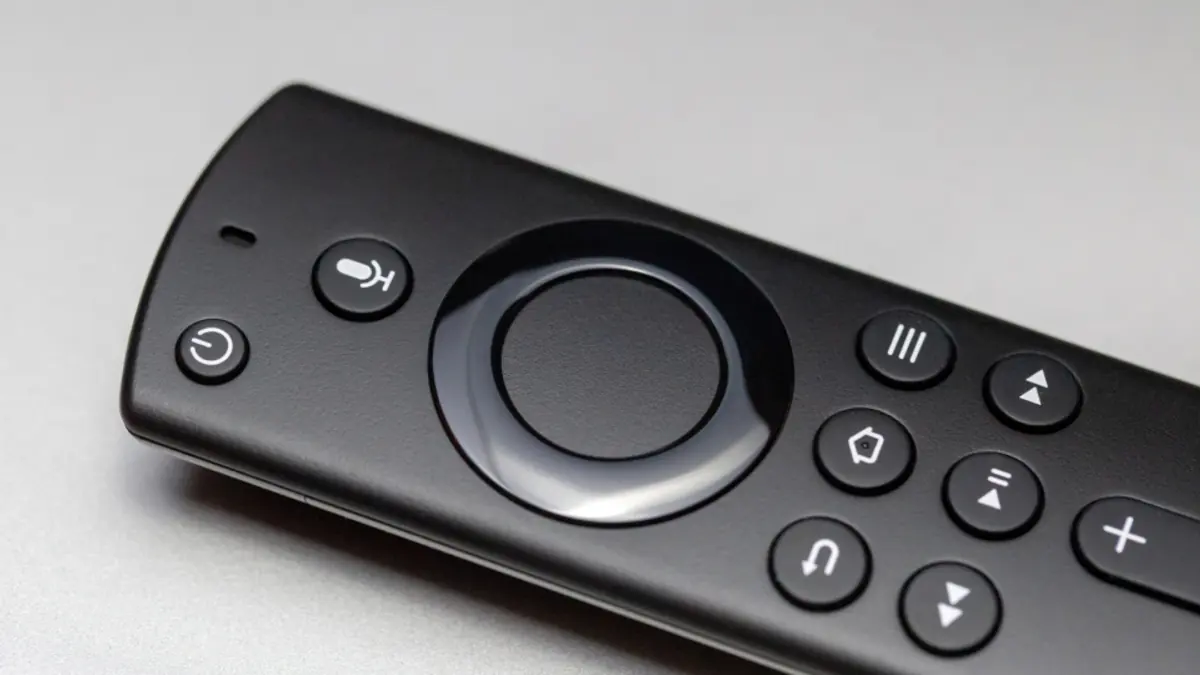
A careful walkthrough for installing a media player app on Fire TV from the Appstore, entering playlist details and getting a smooth first run.
4 min read
Ordering, payment, devices and support: the essentials before you order.
Choose a duration, fill in the order form, then send the prepared message on WhatsApp. Our team replies to confirm your order.
Four durations: 1, 3, 6 and 12 months. Prices are shown on each card above; they are still drafts and will be confirmed before any order is accepted.
To be confirmed: payment methods will be specified before any order is accepted.
To be confirmed: the timing will be stated in the terms of sale, published before any order is accepted.
Our guides cover six device families. Availability of the IPTV Smarters Pro app varies by store, so check our installation guides before ordering.
To be confirmed: refund, cancellation and withdrawal terms will be published in the terms of sale.
On WhatsApp at +44 7723 781927 or through the contact form. Support hours will be specified.
No. IPTV Smarters Pro (iptvsmarterspro.ch) is an independent site, separate from the app of the same name. The app is published by WHMCS Smarters, which is not connected with this site. To get the app, see our download guide.
Fill in the order form or message us on WhatsApp: our team replies to confirm your order.